❯worksheetA B C D E F 0Board Bd.ft $/bft Cost
1Walnut 12.5 14.2 177.5
2Maple 8 9.75 78
3Cherry 6 11.75 70.5
4 5Subtotal 326
6GST 16.3
7Total 342.3 8 9 Navigate | D7
I'm working on this as a break from LLM-assisted coding. It's just a
basic TUI spreadsheet application, a la visicalc, with working formulas
and whatnot. Still very WIP.
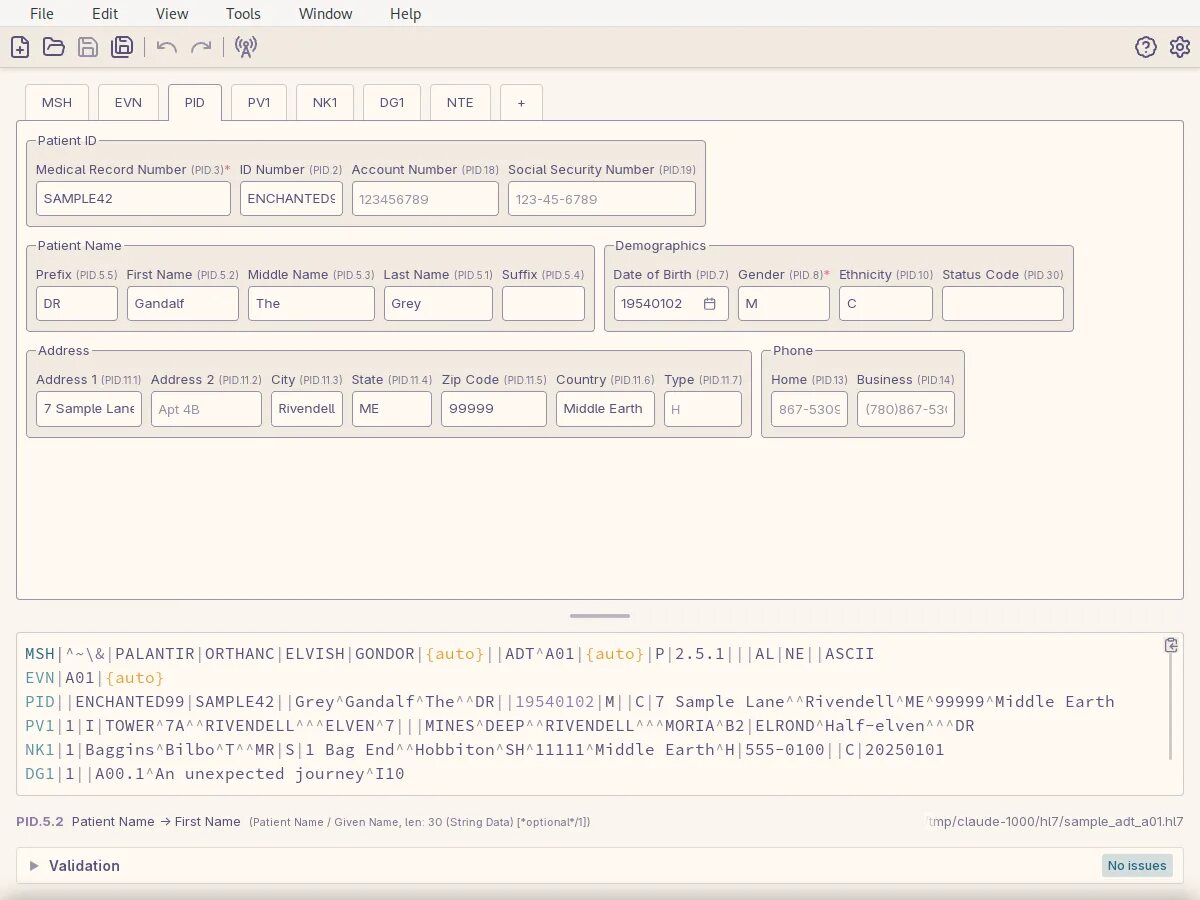
A graphical application for parsing, editing, receiving, and sending
HL7v2 messages.
I built this to replace my usage of HAPI and other proprietary tools
I hacked around at work, and built a plugin system into it so I could
build application-specific plugins (for example to connect to a
database for an application and build an ADT for a specific patient in
that database).
❯kantt shopcab.kantt
┏kantt - Sort: Start Date ↑━━━━━━━━━━━━━━━━━━━━━━━━━━━━━━━━━━━━━━━━━━━━━━━━━━━━━━━━━━━━━━━━━━━━━━━━━━━━━━━━━━━━━━━━━━━━━━━━━━┓
┃Task IDDescription││ Sep │ ↑┃
┃ 17 18 19 20 21 22 │23 24 25 26 27 28 29 │30 31 1 2 3 4 5 │ 6 █┃
┃ M T W T F S │ S M T W T F S │ S M T W T F S │ S █┃
┃>> millMill the walnut stock...│...██████...│......│... █┃
┃ carcass Cut and glue up the carcass ...│...███...│...██████...│... █┃
┃ doors Build the frame and panel d... ...│...██████...│......│... █┃
┃ drawers Dovetail the drawer boxes ...│......│...██████...│... █┃
┃ finish Sand and oil everything ...│......│...███...│... █┃
┃ ║┃
┃ ║┃
┃ ↓┃
┗━━━━━━━━━━━━━━━━━━━━━━━━━━━━━━━━━━━━━━━━━━━━━━━━━━━━━━━━━━━━━━━━━━━━━━━━━━━━━━━━━━━━━━━━━━━━━━━━━━━━━━━━━━━━━━━━━━━━━━━━━━━━┛
Enter: link tasks • Shift+Tab: reverse cycle sort • Tab: cycle sort • d: delete task • e: edit task • n: new taskp: people • q: quit • s: save • ←/→: scroll schedule • ↑/↓: select task
My first attempt at vibe coding, and experiments with that process.
I plan to revisit the project at some point, but the vibe-coding
experience on this was unpleasant: I spent much more time trying to get
it to fix issues than anything. I've since learned a lot more
about coding with LLMs and would like to come back and apply that
knowledge here to implement more features and even out the user
experience.
I think continuous calendars are the best way to view calendars and
the progression of time in general. Their main advantage is that
they never skip a day (just like, you know, time…), so they
greatly help with planning, visualising time, and getting a sense of
how far away events actually are (not dissimilar to how analog
clocks are better than digital because an analog clock is basically
a progress bar for time). I couldn't find a continuous calendar for
the command line (where I spend most of my time), so I made one.
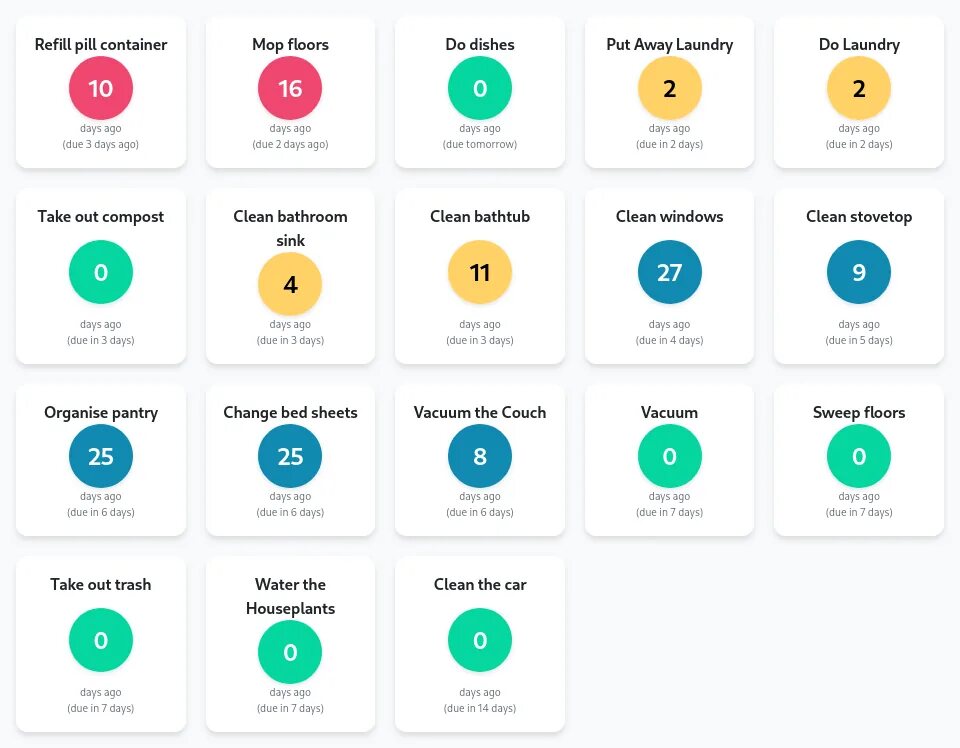
A simple chores manager web application to keep track of your tasks,
when you last did them, and what chores you should be focussing on
today.
I created this on a whim one day based on an idea I had about making
it just about as easy as possible to see what chores you should be
doing today, and to mark those chores as done. I only ended up using
it for a couple of weeks, but I think that's because I strongly
prefer physical interactions for this sort of thing than pulling out
my phone. I want to revisit this one day by using an old phone or
integrate it into a large touch screen family calendar that is
always visible and physically accessible as I think I would be a lot
more likely to use it then.
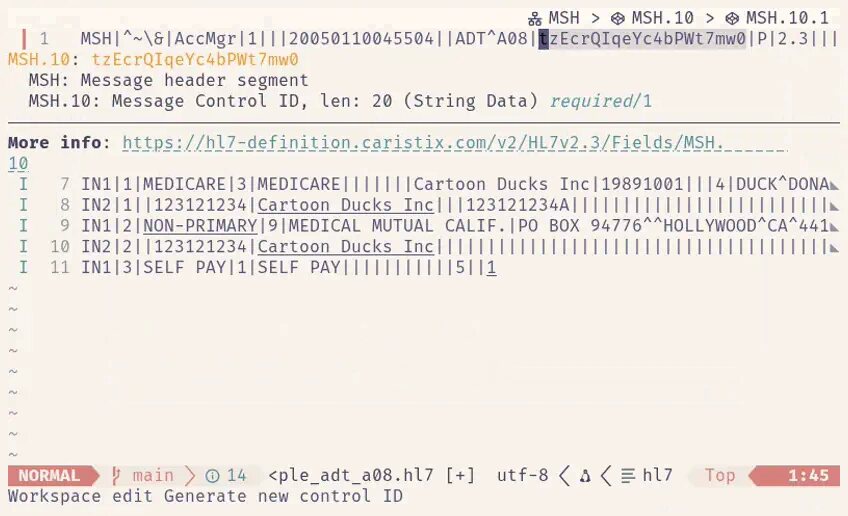
Built off of my hl7-parser library, this provides a relatively
fully-featured language server for editing HL7 messages in an
editor. It isn't very useful on its own, but paired with its
sub-projects to integrate it into neovim
(with hl7-ls-nvim)
or Visual Studio Code
(with hl7-ls-vscode),
it can be quite powerful.
I largely built this for myself to learn the language server
protocol, and to make a handy tool for myself at my day job (I
really don't like the existing HL7 editors out there.) It
turns out I quite enjoyed writing a language server, and it wasn't
all that difficult. I'm interested in writing more language servers
for things in the future, as I find them an almost must-have tool
for editing anything, and can go a long way to making
domain-specific-languages actually viable.
Starting on a somewhat unixy-philosophy I started this project to
create a suite of command line tools for interacting with HL7
messages: reading them, formatting them, manipulating them,
converting them, sending them, and receiving them. In doing so I
uncovered several usability issues in my HL7 parsing library, which
made me wrap up this project quickly (as I needed the tools) and
moved back to improving my parsing library. As such these tools need
to be revisited, cleaned up, and made single-concern (e.g.:
hs currently sends messages or operates as a server; it
should be two separate applications to accomplish these tasks).
A parser for HL7v2
messages in Rust. It doesn't validate messages or parse the larger
HL7 structures since I can't seem to get good specifications for
them, but it gives you a nice, fast, and easy way to parse HL7
messages that isn't based on the same Java library that everyone
else seems to use.
I wrote this both to help me at my day job (see hl7-ls above), and to
learn the basics of actually parsing code, as well as to learn and
practice optimisation techniques in Rust. I'm currently using
libraries to help with the parsing but I plan to eventually rewrite
the parser (again) from scratch using specific knowledge of HL7
files to improve performance even further.
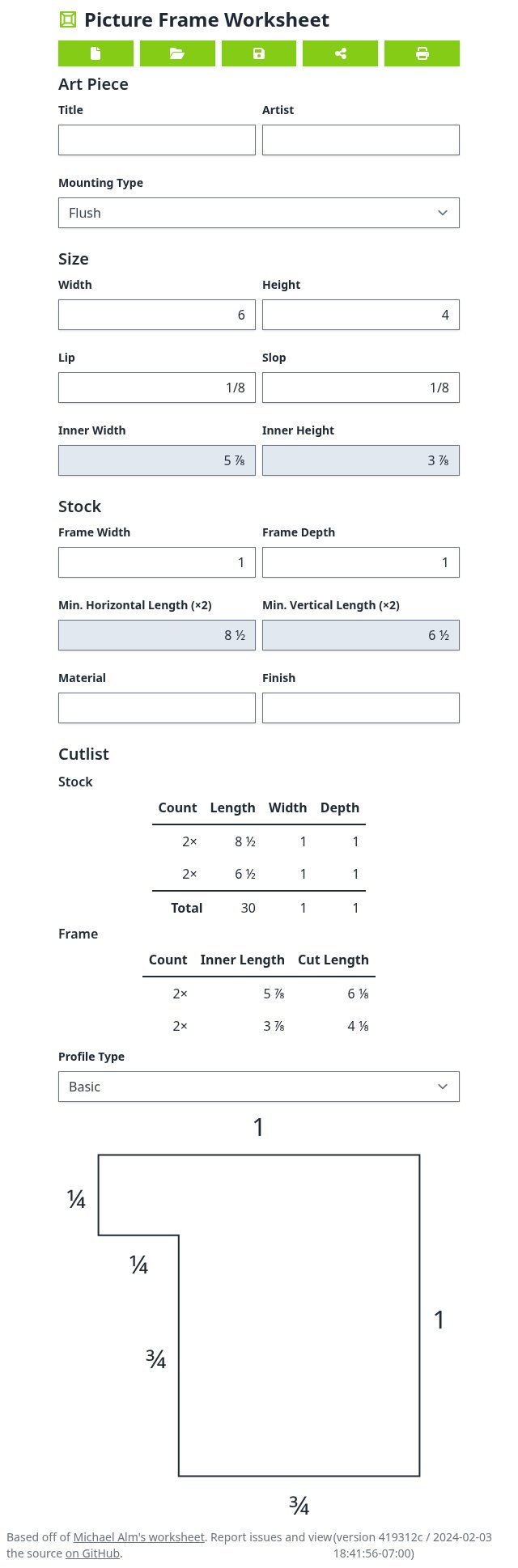
A simple tool for calculating picture frame dimensions.
I created this based off of Michael
Alm's picture frame worksheet, which is used to quickly plan
out the dimensions and cuts needed when building mitered picture
frames. I wanted a digital version that would do the math for me
because I'm inherently lazy and prone to mistakes. I've ended up
using it quite a lot—paired with my miter jig on the tablesaw
I can whip out picture frames with this quickly and easily.
Quickly convert image files into Windows .ico files.
❯icogen --help
icogen 1.2.0
Kenton Hamaluik <kenton@hamaluik.ca>
Quickly convert image files into Windows .ico files
USAGE:
icogen [OPTIONS] <IMAGE>
ARGS:
<IMAGE> The image file to convert
OPTIONS:
-f, --filter <FILTER> Which re-sampling filter to use when resizing the image [default:
cubic] [possible values: nearest, triangle, cubic, gaussian, lanczos]
-h, --help Print help information
-o, --out <OUT> The output file to write to, defaults to "<filename>.ico"
-s, --sizes <SIZES> What sizes of icon to generate [default: 16 20 24 32 40 48 64 96 128
256]
--stop-on-warning If enabled, any warnings will stop all processing
-V, --version Print version information
I often need to convert an image into a .ico file and
often turn to some web-based service to do this (just drag and drop
the image, out comes a .ico, etc). I shouldn't have to
go online to do this quickly and easily, hence this tool. It is
small and only does 1 thing, and will only ever do one thing, by
design. This is a thin CLI wrapper around the
image crate.
A tool for converting a source repository into a book you can print.
I like bookbinding and having/touching physical things, however most
of my projects are programming-based, and therefore digital. This
was an attempt to bridge the gap between the two: give this tool a
git repository and it spits out a printable PDF with all of the
source code, commit history, etc., printed out. I still really like
the idea but it definitely needs some more polish; right now each
book requires some post-processing to make nicely printable and the
whole project is just… unfinished. That said, the results it
creates are nice enough, and quite eye-opening when you realize just
how much code you've written when you put it all together and print
it.
This project aimed to make CEF usable in Rust, with relatively
up-to-date bindings. Ultimately it aimed to replicate the CefSimple
test which can be built upon to build a full application. It was
working well enough for basic electron-like applications at the
time, but given the pace of Chromium development is almost assuredly
wildly out of date by now.
When my wife and I were expecting our second child, we needed to pick
a baby name. For us, this turned out to be much more difficult than
you'd think. There's lots of tools and apps out there to help with
that, but I wanted a tool that didn't spy on me and / or sell my
data. Unfortunately, it seemed the only way for that to exist
anymore was to build it myself, so I did.
This was an Android & iOS app (care of
Flutter) that was like Tinder for
baby names: you swiped on the names you liked and didn't like, then
synced your list with your partner's list to narrow the search down.
It worked really well for us, and we ended up picking a name we both
liked and that wasn't super common but also not weird. It is no
longer available on the app stores because I can't afford to keep
paying time, attention, and money to Google and Apple to keep it on
there.
I had really wanted a split ergonomic keyboard in the vein of an
Ergodox, however I hadn't
wanted / needed a keyboard that cost $CAD 450 (at the time) and
didn't even come with the switches I wanted. I knew enough
programming and electronics to make my own, but before I dove
head-first into a larger project I had decided to get started by
making a simple
numpad to
sort out any design issues before going “all in”.
This is designed to run in the background listening to a global
hotkey; when the hotkey is triggered it renders a circle on the middle
of your screen that grows, shrinks, and changes colour to give you a
visual aid to box breathing, then disappears just as easily when you're
done.
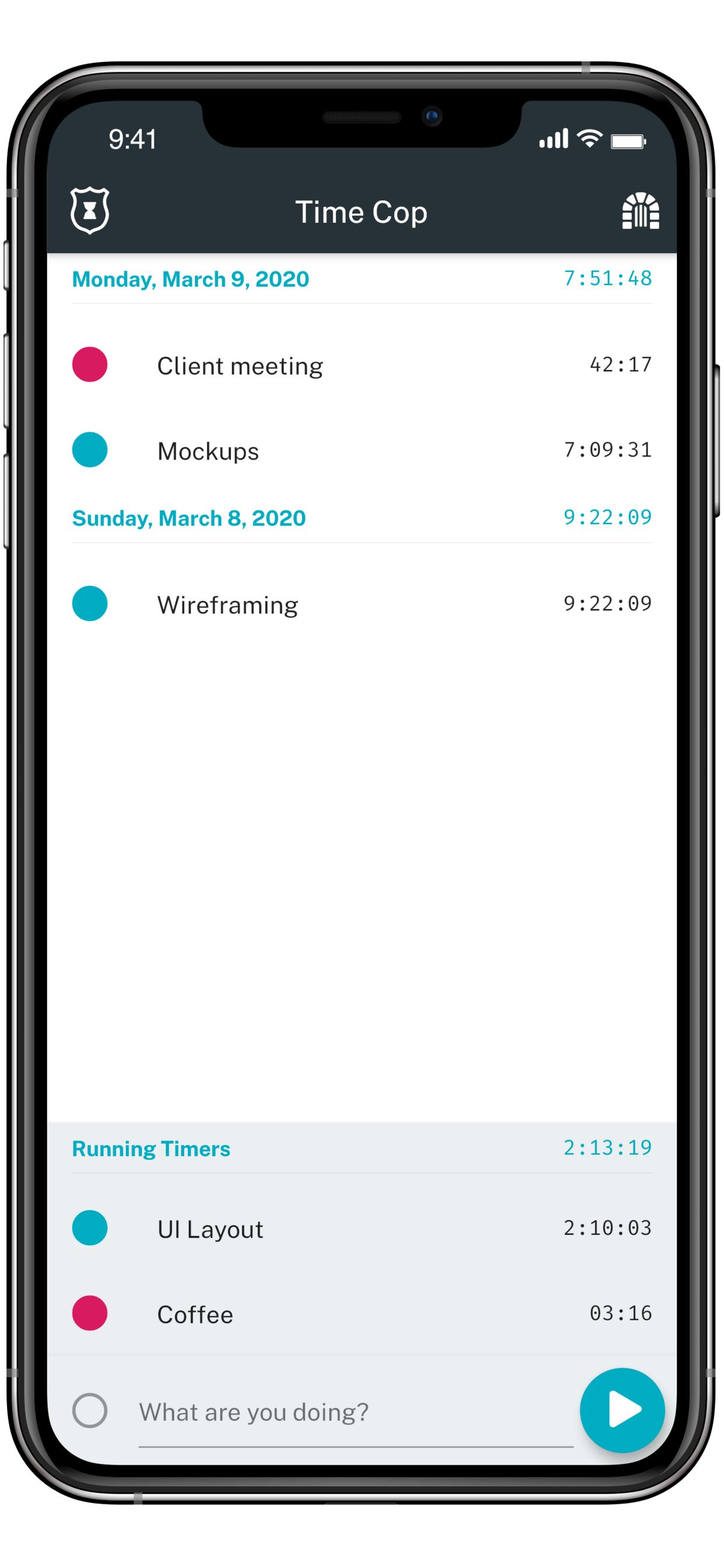
A time tracking app that respects your privacy and gets the job done
without getting too fancy.
Offline-only, with no tracking, spying, or advertising, and your
data exports to CSV whenever you want it. Built in
Flutter, and still available for
Android on F-Droid
and for Linux on Flathub.
There's more about it at timecop.app.
I'd rather not do time-tracking at all, but since it's a necessity
for my work it's either use an app or keep track of things manually
(which I'm terrible at). I tried plenty of the ones on the app
stores and each had at least one pain point that eventually drove me
off—too expensive, too complicated, won't export data, needs
an internet connection, or gave me privacy concerns. Time tracking
itself is rather straightforward, so I figured I may as well use it
as an opportunity to practice mobile development and learn some new
things. It's a tool I use every day for work, but also a sample
project to work off of and share with others.
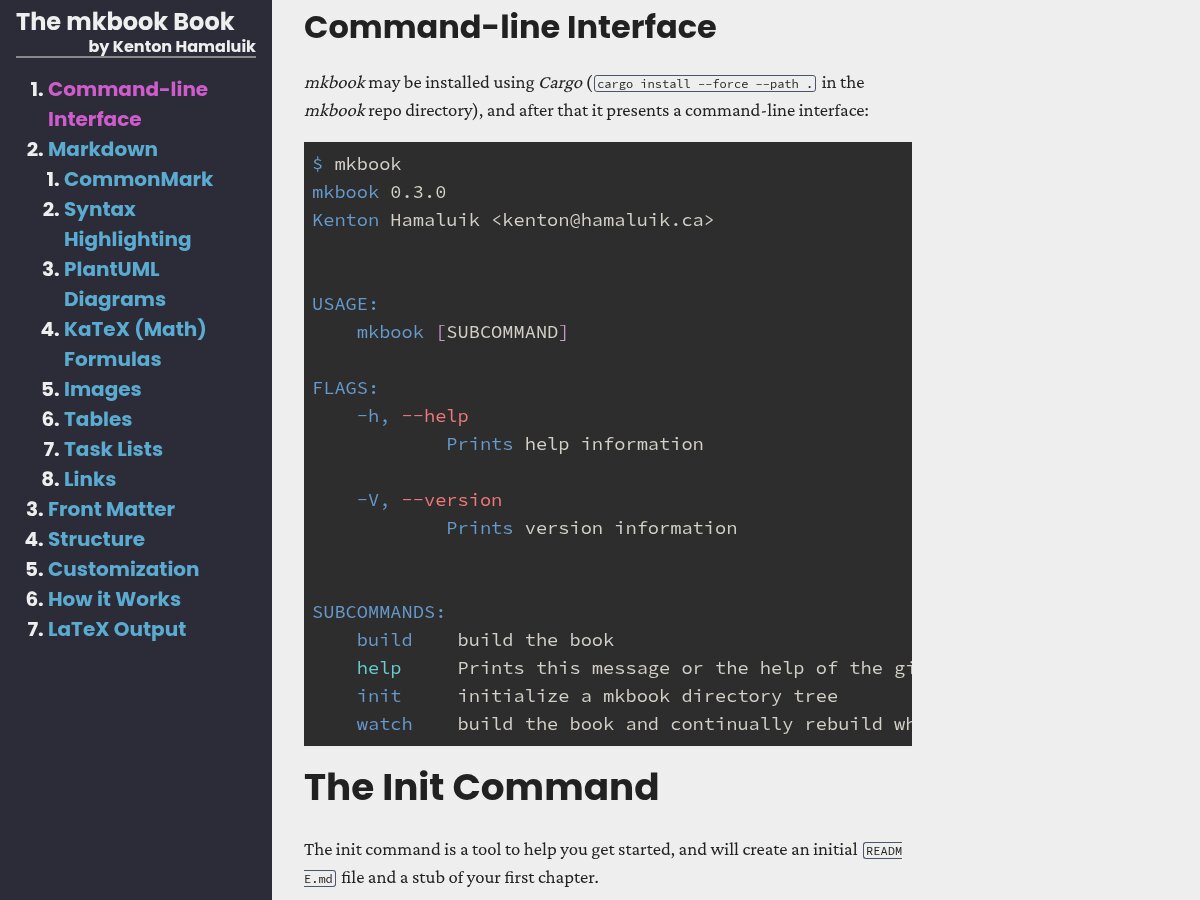
mkbook is my simpler alternative to mdbook which is a great
tool, but for which I really dislike some of the decisions they took,
such as relying on javascript for highlighting and navigation, and
including a lot of bells and whistles such as javascript-based
search.
Tool for using Google Cloud to automatically translate simple Fluent
.flt files.
❯tt --help
tt 2.0.0
Kenton Hamaluik <kenton@rehabtronics.com>
USAGE:
tt [OPTIONS] [SUBCOMMAND]
FLAGS:
-h, --help Prints help information
-V, --version Prints version information
OPTIONS:
-c, --credentials <FILE> the file containing the credentials for Google Cloud APIs. See
https://developers.google.com/accounts/docs/application-default-credentials for more
information. [default: credentials.json]
-d, --diff <FILE> an optional English translation file to diff the terms from to mimimize re-translations
-f, --from <FILE> the English translation file to take strings from [default: en.flt]
-l, --locale <LOCALE> the locale to translate into ("fr", "it", etc)
-o, --outpath <PATH> the path to write the resulting .flt file into [default: .]
SUBCOMMANDS:
gen-completions generate shell completions
help Prints this message or the help of the given subcommand(s)
languages list all possible languages that the template can be translated into
Fluent is an awesomely
powerful translations tool, but it has a tiny ecosystem, this tool
helped alleviate some of that pain.
Numerical Characterization of Ultrasound Elastography for the Early Detection of Deep Tissue Injuries
Deep tissue injuries (DTI) are an advanced form of pressure ulcers,
where tissue at the bone becomes necrotic before "tunnelling" up to the
surface (yes it's as bad as it sounds). Necrotic tissue has different
biomechanical properties than healthy tissue (notably, it is up to ~3x
mechanically stiffer as it is dying before becoming drastically less
stiff than healthy tissue as it all turns to.. mush). Ultrasound
elastography is a method of using ultrasound to measure mechanical
stiffness of tissue. It follows then that ultrasound elastography can
be used to detect DTI before they are visible on the surface of the
skin, when early treatments can still be effective. My thesis took this
concept and numerically characterised how three different types of
ultrasound elastography would behave when interrogating DTI across a
range of parameters (using finite element analysis and the wave
equation).